Obsidian desktop plugin · 1.2.2
Card Workspace brings folders, tags, properties, backlinks, outgoing links, and card boxes into a readable card stream beside your editor. Gather context, shape a working view, and bring what matters into the note you’re writing.
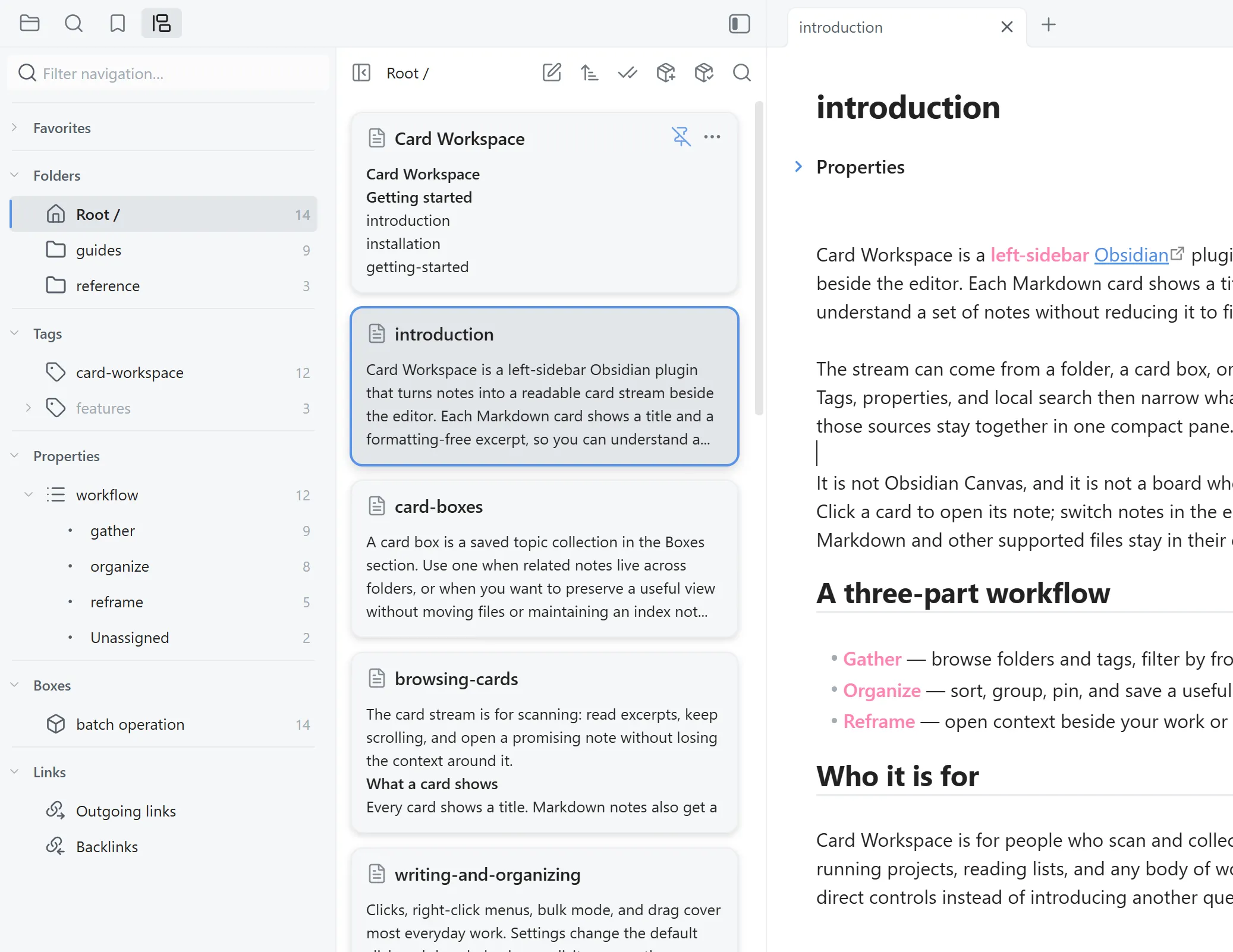
Gather
Start with the structure your vault already has.
Choose a folder, include its subfolders when useful, then narrow the card stream with tags and frontmatter properties. You keep the structure you know while the view becomes precise enough for the work at hand.
- Folder scope
- Include subfolders
- Multiple tags together
- Frontmatter properties
Organize
Turn a useful view into a reusable workspace.
Save a folder, tag, and property view as a card box, and matching notes keep appearing as the vault changes. Add or remove individual notes, then give each box its own sort, grouping, and pins. The source files stay where they are.
Use a box for research topics, long-running projects, reading lists, or a snapshot of linked notes.
Field research
Reframe
Bring useful context into the note you’re writing.
Open a connected note beside your work, or drop a Markdown card at a precise editor position. Insert a wikilink, an embed, the note body, or its title and body—choosing each time or setting a default.
- 01Wikilink
- 02Embed
- 03Content
- 04Title + content
Search locally
Find the passage, not just the filename.
Search the current folder, card box, outgoing links, or backlinks with a local full-text index. Matching text is highlighted inside Markdown excerpts, and each card shows its hit count without sending vault content anywhere.
- Current source only
- Full-text excerpts
- Hit highlighting + counts
- Local index
Keep context
Read the link graph beside the note that gives it meaning.
Switch between outgoing links and backlinks around the active note. Let the source follow the editor, pin it while you inspect other notes, search the linked set locally, or save the visible cards as a fixed card-box snapshot.
- Outgoing links + backlinks
- Follow active note
- Pin source
- Local search
- Save snapshot
Act in bulk
Organize a set of notes as deliberately as one.
Click to select individual cards, Shift-click a range, or select the whole view. Then move notes, add or remove tags, change card-box membership, merge Markdown notes with a live preview, or delete the selection.
- Click to select
- Shift-select a range
- Select all
- Move
- Add / remove tags
- Add / remove from box
- Merge with preview
- Delete
Built for daily use
The small controls that keep a workspace moving.
Card Workspace stays compact, predictable, and close to Obsidian’s own file model.
- 01
Arrange the stream
Sort, group, collapse groups, and pin the notes you need at the top.
- 02
Return quickly
Favorite folders, files, tags, and card boxes, then move through them from one navigation pane.
- 03
Maintain tags safely
Rename or delete tags with confirmation, updating notes, active filters, favorites, and card-box rules.
- 04
Preview or open your way
Hover-preview a note, or open it in the current tab, a new tab, a split, or a window.
- 05
Stay responsive at scale
Virtualized card rendering keeps large vault sources practical to scan.
- 06
Keep the vault private
Search, indexing, and file operations stay local; notes remain in their existing folders.
Turn scattered notes into a working understanding.
Browse by structure, filter by meaning, follow connections, and keep the result beside the note you are writing.